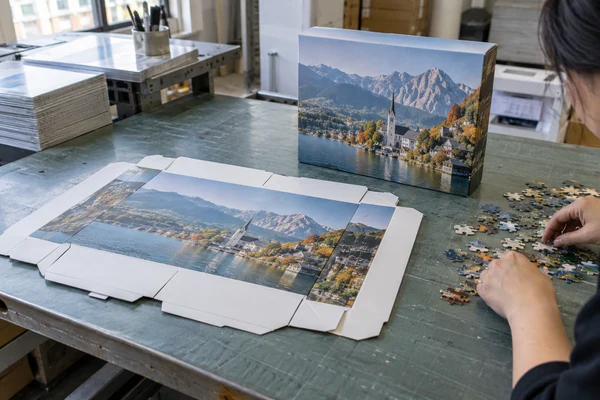
A custom puzzle packaging dieline is a structural drawing that tells a designer where a box will cut, fold and assemble. It is not simply a rectangle for placing artwork. Before approving print, confirm the correct structure and dimensions, design on the current factory template, inspect the exported file and fold a representative mock-up. This guide focuses on panel orientation, structural boundaries and a controlled file handover. It complements general artwork guidance by addressing the packaging problems that become visible only when a flat design becomes a physical box. Buyers should obtain project-specific template instructions; there is no universal dieline, bleed value or safe area that fits every puzzle pack.
Confirm the correct box structure and component fit
Choose the intended box type and dimensions with the manufacturer before building the layout. A lid-and-base box, folding carton and sleeve use different structural drawings and assembly relationships. Similar finished dimensions do not make their templates interchangeable. The custom puzzle dieline must correspond to the actual proposed construction, including any board wrapping or overlapping areas the structure requires.
Confirm what must fit inside: bagged pieces, reference poster, insert and any additional components. A box that fits an assembled puzzle image on screen may still be unsuitable for the loose pieces and folded paper components. Ask for a plain construction sample or another appropriate fit review. Distinguish an internal clearance requirement from the external dimensions used by a retailer or warehouse.
Write the customer's handling requirements into the brief. Consider opening, reclosing, shelving and returning pieces to the box after use. These are product application checks, not proof of durability. If a retailer requires a specific shelf orientation, communicate that before the artwork is laid out. A vertical shelf presentation can change the intended front-facing panel.
Start with a format discussion
Compare a retail puzzle format with the planned content and channel, then request the relevant packaging drawing. Ask the supplier to identify which dimensions are finished, which describe flat material and which are for manufacturing reference. Do not guess from an unlabeled screenshot.
Use one current artwork template at the correct scale
Request an editable custom puzzle artwork template and a viewing PDF, if available, together with the supplier's instructions. Check template identification, issue date, units and intended box components. If the lid and base have separate files, keep both in the same controlled folder and record which artwork version belongs to each. A visually similar earlier template can still have a changed fold or overlap.
Verify that the imported drawing remains at its specified scale. PDF placement settings, artboard changes and unit conversions can introduce unnoticed resizing. Measure a stated reference dimension in the design software rather than assuming the document size proves accuracy. If the drawing is unclear, ask for clarification before adding artwork. Do not reconstruct the structure from a photograph or reverse-engineer manufacturing allowances.
A custom puzzle design template may include manufacturing notes, fold direction indicators and nonprinting labels. Keep these visible during design review but separate from the customer-facing artwork. Confirm which layer is intended to print and how structural lines should be represented in the output. Some workflows need a separate technical PDF; others specify named spot-color lines. Follow the actual supplier instructions.
Freeze the source template
Retain the original supplied template unchanged and work in a clearly named copy. Record any factory-issued revision and remove the superseded template from the active production folder. If structure changes after design approval, reopen the layout review because panel dimensions, barcode positions and image crops may all be affected.
Check every panel in its assembled orientation
Make a panel map that labels the lid face, base, sides, rear panel, flaps and hidden areas. Then confirm how each panel rotates when the box is folded. On a flat drawing, two adjacent side panels may require text in opposite orientations to appear correct after assembly. A design that looks tidy on screen can put the title upside down on a store shelf.
Review wrapping and seam locations. Important image features can disappear beneath a fold, overlap or glued area. Keep faces, logos and essential wording away from boundaries where manufacturing movement would make an error conspicuous. Use the safe-area guidance provided for the structure rather than inventing a universal margin. Decorative image continuation deserves a separate review across neighboring panels.
Check the relationship between the lid and base. If artwork is intended to line up across them, ask whether the structure and assembly method can support that expectation. Do not assume an uninterrupted panorama will align perfectly on every pack. If alignment is sensitive, consider a design that tolerates normal movement and approve the proposed physical result.
Make a fold test
Print a layout for orientation review, mark it as a mock-up and fold or wrap it around an appropriate construction reference. This can reveal upside-down text and hidden copy. It does not approve production color, material or exact fit. Record separately which decisions the mock-up resolves and which still need a representative sample.
Separate bleed, safety and structural marks
Bleed extends artwork beyond a trim boundary so small cutting movement does not expose an unprinted edge. A safe area protects critical content inside that boundary. Packaging can add fold allowances, wraps and overlaps that require their own handling. Obtain the box-specific instructions before extending graphics; a simple page bleed setting may not describe all the relevant structural areas.
Adobe explains bleed and slug areas as different parts of a print layout. Apply those concepts to the supplier's requirements without assuming that a default software value is the correct manufacturing allowance. Confirm whether trim marks, registration marks and technical notes are requested in the delivered file.
Do not leave cutting and folding lines in the printed design accidentally. At the same time, do not delete the technical information needed by the factory. The release packet should explain which layer or file is structural and which is artwork. Check overprint behavior when the supplier requests named technical spot colors, because a hidden or converted line can affect downstream interpretation.
| Check | Evidence | Approval owner |
|---|---|---|
| Structure and scale | Current drawing and measured reference dimension | Factory technical contact |
| Panel orientation | Folded mock-up and panel map | Packaging designer |
| Bleed and safe areas | Supplier instructions applied to final PDF | Prepress reviewer |
| Printed copy | Final language, identity and barcode record | Authorized buyer |
| Release version | One approved export linked to source files | Project consolidator |
Check your packaging brief before design release
Send the intended box structure, included components and artwork status. Ask for the appropriate current template and clarify which physical sample will support approval.
Preflight images, fonts and output settings
Treat the box as a separate print product from the puzzle image. An enlarged cover crop may have lower effective resolution than the source photograph, while a logo placed from a web download may be rasterized or compressed. Inspect the actual placed assets at the intended size. A high-quality puzzle file does not automatically make the packaging print-ready.
Check missing links, changed linked files, fonts and text overflow before export. Adobe's packaging guidance explains collecting the project assets and resolving preflight issues for handover. Ask whether the factory needs the editable package, a specific PDF or both. Share only the licensed assets and font files you are entitled to transfer.
Confirm color treatment and transparency handling with the actual output workflow. Avoid flattening or converting files merely because an old supplier requested it for another project. Check small black text, reverse type and fine rules at final size. The objective is a custom puzzle print ready file appropriate to this job, not a PDF that happens to open without an error message.
Review the exported PDF rather than only the design application's working view. Inspect panel contents, page dimensions, spot-color usage and any visible technical marks. Compare the export with the approved proof. Our custom puzzle artwork requirements explains the wider image and file preparation; packaging needs the additional structural checks described here.
Approve the copy, identifiers and component relationship
Assign responsibility for all customer-facing wording. The factory can flag a visual problem but should not be expected to verify a retailer's product description, licensing statement or destination-market wording. Confirm piece count, finished puzzle dimensions, image credit and included components against the actual specification. A box must not show an accessory or claim that the delivered configuration does not contain.
Give barcode artwork its own controlled reference and verify retailer requirements with the responsible trading partner. Avoid placing the code across a fold, seam or highly textured area. Its presence on the PDF is not evidence that it will scan reliably after printing and assembly. Agree the verification approach if the product's distribution requires a documented scan assessment.
Check consistency across lid, base, insert and puzzle image. A late crop revision can leave the box showing the old picture, while a new piece count may only be corrected on the front. Create a short component matrix with the current file identifier for each item. This is particularly valuable when several editions share the same structure but differ in imagery and copy.
Run a buyer-side copy review
Read the final folded sample as a customer would encounter it. Start with the visible shelf panel, then the front, back and opening sequence. Ask whether a buyer can identify the product and understand what is included. Check spelling and language independently of the aesthetic review; attractive layout does not establish factual accuracy.
 PuzzleZa
Review a physical pack without confusing sample types
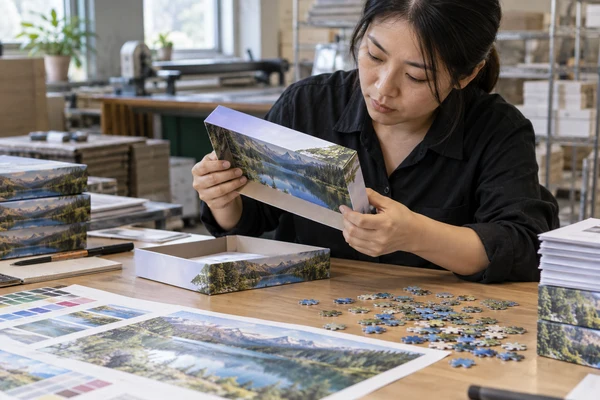
A plain box can establish construction and component clearance. A printed paper wrap can establish panel orientation. A representative finished sample can address the proposed materials, print and opening experience. Ask the supplier which type is being provided and document its limitations. Calling all three a sample creates uncertainty about what the buyer actually accepted.
During review, open and reclose the pack, place the intended components inside and examine visible panel relationships. Note folds that obscure text, awkward lid removal or a poster that interferes with closure. For installation preparation in a retail application, the practical issue is often shelf or display setup. Test the proposed shelf orientation with the physical dimensions rather than assuming the product fits a fixture.
Convert observations into specific requirements for factory testing. For example, the title should face upright in the agreed shelf orientation and the reference insert should match the released crop. These are useful acceptance checks; do not invent a testing standard or claim every unit will be checked. Discuss the actual planned controls through the Shenzhen factory contact and capability overview.
Resolve changes before release
If the structural sample changes, identify all affected files before approving the replacement. A larger lid can change image scale, panel copy positions and carton calculations. Keep the change log attached to the final approval so a production reviewer can see why the old artwork is no longer valid.
Release a complete packet and retain it for reorders
Create a release packet with the current dieline, approved source layout, exported PDF, component matrix and physical sample identifiers. Include approval date, authorized contact and any accepted exceptions. State explicitly that earlier versions are superseded. A collection of emails with attachments named latest can create more risk than a smaller, controlled packet.
Ask the factory to acknowledge the version it will use for production. If prepress needs a correction, request an updated output or documented confirmation before the job advances. Do not assume a factory correction is purely technical; moving text or changing a conversion can affect the customer-facing result. Keep one buyer contact responsible for consolidating and releasing these decisions.
At shipment inspection, selected finished packs should be compared with the same approved artwork and construction record. Check the edition, orientation, visible print condition and component match. Retain final observations with the order, and before a reorder ask whether the structure or materials have changed. A previous dieline can remain useful, but its suitability needs confirmation when any construction assumption changes.
Prepare the next enquiry
Use the custom puzzle formats to describe the intended range, then send the packaging requirements with structure, component list, artwork status and quantity scenarios. Request a current template after the construction is confirmed. That sequence reduces avoidable redesign and gives the quotation a clearer scope.
Frequently asked questions
Can I use a dieline from another puzzle supplier?
Only if the intended manufacturer confirms that it matches the proposed construction and production requirements. Similar box dimensions are not enough. Obtain the current factory-issued drawing and verify scale, folds, overlaps and component fit before designing.
Is a flat PDF enough to approve puzzle packaging?
It can establish layout and copy, but it cannot fully show folded orientation, component fit or opening. Review an appropriate physical mock-up and clarify whether it represents print, construction or both. Record those limitations in the approval.
What bleed should a puzzle box use?
Use the supplier's instructions for the actual structure. General print bleed concepts apply, but folds, wrapping and overlaps can add requirements. A software default is not a substitute for the box-specific template and output guidance.
Should cutting lines print on the finished box?
Normally customer-facing artwork should not accidentally display manufacturing lines. The technical drawing may still need to accompany output in a separate file or specified layer. Follow the factory's instructions and inspect the exported PDF for unintended visible marks.
How do we prevent old packaging files being used?
Release one identified packet with the current template, final export, component versions and dated approval. Mark earlier files superseded and obtain acknowledgement of the production version. Apply the same discipline when a box structure or artwork changes for a reorder.
Conclusion
A reliable puzzle packaging approval starts with the right structure and ends with one controlled release. Verify scale, panel orientation, boundaries, assets and printed facts, then review a physical pack appropriate to the decisions being made. These checks turn a dieline into a usable manufacturing brief and protect the customer experience when the flat artwork becomes a box.
Discuss your puzzle box and file requirements
Contact PuzzleZa with the product format, destination channel and quantity scenarios. A clear construction brief makes template selection and quotation more practical.
Sources and scope
Sources reviewed on 2026-10-09. Manufacturing examples and review checklists are planning guidance, not claims about completed customer projects or guaranteed results. AI-generated images illustrate the topic and do not document an actual inspection.
- Adobe: Print bleed and slug areas — Distinguishing bleed and technical areas.
- Adobe: Package InDesign files for output — Preflight and gathering project assets.