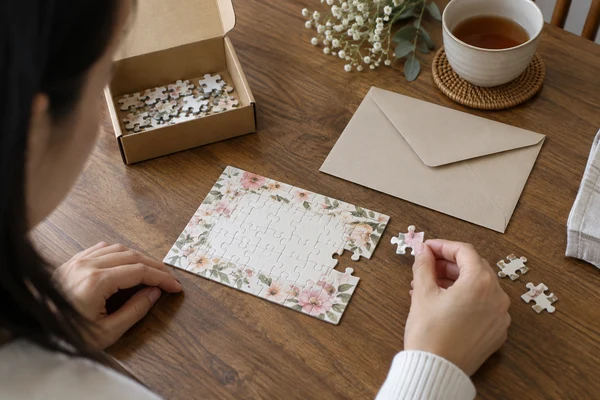
A custom baby announcement puzzle should reveal the intended message clearly, preserve its exact wording and avoid giving away private information through the pack. The same principles apply to proposals, save-the-date products and wedding invitations. Begin with what the recipient should discover, how they will assemble it and which details must be approved without interpretation. Then review the cut, typography, reference material and opening sequence together. This guide helps gift brands and stationery retailers design the message experience rather than treating personalisation as a last-minute text replacement. Examples use invented details and do not represent real customer announcements.
Define what a custom baby announcement puzzle should reveal
State the message in one sentence before choosing artwork. Is the product announcing a new arrival, asking a question, inviting a guest or revealing a short surprise? A message with practical attendance information has different requirements from a playful keepsake. Write the essential information separately from optional decoration so the layout preserves the parts that cannot be misunderstood.
For a custom pregnancy announcement puzzle, the customer may want a private family reveal with minimal supporting copy. A custom proposal puzzle may need one question to become unmistakable at completion. Neither product should assume that the recipient will enjoy a long or difficult assembly. Ask the buyer to define the intended moment and user group, then choose the physical format around that experience.
The presentation-led gift format can support a box and message component, but a compact construction may better suit some announcement ranges. Confirm the actual dimensions, piece format and component list through sampling. Avoid promising a particular emotional reaction. The product can create an opportunity for a reveal; it cannot guarantee how a recipient will respond or how long assembly will take.
Create an exact message record for names, dates and locations
Keep the customer's requested text in a structured record before it enters the design. Separate names, event date, time, location and optional message fields where the product needs them. Do not infer a date from a file name or correct a personal name because spellcheck flags it. Show any proposed wording change explicitly, including a punctuation change that could alter the tone or meaning.
A custom save the date puzzle needs an unambiguous date. Writing the month name can reduce confusion between numerical date conventions, provided the customer approves that format. An illustrative layout might use '12 June 2027' rather than a slash-separated date. This is an example of presentation, not a real event. Confirm the day of the week if it is printed, and remove it if the brand has no reliable verification process.
For a custom wedding invitation puzzle, distinguish ceremony details, reception details and reply instructions. Ask whether each appears on the puzzle or a separate card. A short decorative message should not replace practical information guests need. Keep all components in the approval package, so the puzzle cannot say one date while the card says another. Identify the owner who verifies the facts, rather than assuming the designer can resolve an ambiguous address.
| Field | Check | Approval record |
|---|---|---|
| Names | Spelling, order, accents and titles | Exact approved text |
| Date and time | Unambiguous format and event context | Customer-confirmed wording |
| Location | Venue name and usable address | Approved component placement |
| Reveal phrase | Meaning, punctuation and line breaks | Complete final layout |
| Reply details | Current destination or printed instructions | Verified sample and responsible owner |
Review typography through the cut, not only on the screen
Use a clear hierarchy: main announcement, names or key details, then secondary information. Decorative type can work for a short heading, but thin strokes and ornate letters need review on the actual print surface. Check the text at finished scale instead of relying on a zoomed design window. Ask the factory for the approved outline and safe areas before positioning essential wording.
A cut can divide a letter or word across pieces, which may be part of the reveal. The problem is whether the completed message remains easy to read. Avoid placing a critical tiny number where a cut junction or low-contrast background makes it ambiguous. There is no universal minimum type size that suits every font and finish. Approve legibility through a physical sample of the proposed layout and construction.
Adobe's preflight guidance describes checks for file problems such as missing assets, fonts and overset text. These checks support print preparation but cannot confirm that the date is correct or the recipient can read a decorative script. Combine technical file review with content approval and physical inspection. The artwork-requirements guide covers the general file handover.
For multilingual or bilingual designs, ask a competent language reviewer to check the final layout, not only a text document. A line break can split a name or phrase awkwardly; the order of words and digits can also matter when scripts are combined. Keep the approved language direction and punctuation in the exported file. If the product includes a translation, show both versions together so the customer can confirm that they communicate the same invitation. Do not shorten an unfamiliar phrase to fit the template without review. Test the longest supported message in the proposed layout and give the range a clear route for wording that exceeds the available space.
Design the reveal across the puzzle, reference and packaging
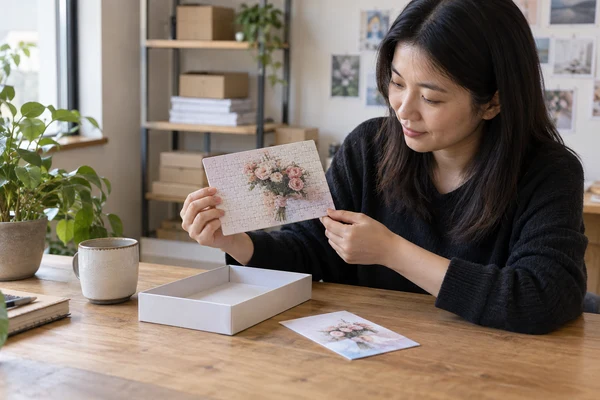
Map what the recipient sees first: external pack, box lid, insert, loose pieces and assembled image. A custom secret message puzzle can lose its surprise if the full answer is printed on the box front or reference card. Decide deliberately whether a reference is included, partially redacted or omitted. The buyer should approve that choice because it affects both assembly support and the reveal.
Give recipients enough guidance to understand the activity without exposing the message. A neutral instruction card can explain that the puzzle contains a personal announcement. If a reference image is included, consider whether it belongs in a separate envelope to be opened only if needed. Test the sequence with the physical prototype; a digital mock-up cannot show whether the answer is visible through an open flap or translucent material.
Do not claim that the last piece will always reveal the message. People assemble puzzles differently, and loose pieces may expose the words early. If a particular reveal order is essential, discuss a different component strategy or revise the promise. An invitation should remain useful even when the recipient chooses a different assembly route. Design for a clear completed message and a thoughtful opening sequence rather than relying on behaviour the manufacturer cannot control.
Check accidental spoilers
Review the approval preview, confirmation email wording and external component labels as well as the physical pack. A purchaser may share a household device or receive a parcel with the recipient present. The brand should decide how its own communications describe the order. Manufacturing instructions can keep the pack neutral, but they do not automatically control the retailer's messages or delivery notifications.
Review your message-puzzle concept
Share fictional example wording, proposed dimensions and the intended reveal sequence. We can discuss construction, components and sample requirements.
Keep personal announcements within a defined approval process
Limit the people who need to see the full message. The designer may require the names and artwork; a pack handler may only need an order identifier and component code. Avoid collecting additional personal history merely to design a short announcement. Use cleared sample content for templates and training rather than real customer revelations. Make sure the chosen review channel is appropriate for the sensitive information the range accepts.
The UK Information Commissioner's Office explains purpose limitation, minimisation and secure handling for personal information. Where applicable, those principles inform the brand's systems and partner instructions. Pregnancy or other private family announcements can contain particularly sensitive details; the responsible business should determine the relevant requirements. A general printing brief is not a substitute for its approved privacy process.
Establish one authorised approval route. If a gift purchaser wants to preserve the surprise, confirm that previews go to the purchaser's designated contact, not automatically to the recipient. Keep evidence of the approved message and the release version. Do not send the artwork to a new address based only on an informal request. The brand's verification method should be agreed in advance so urgent changes do not create a privacy or message-accuracy problem.
Review photo permissions and personalisation boundaries
A wedding or family photograph may come from a professional photographer. The U.S. Copyright Office describes photographic copyright ownership, including the general role of the photographer and relevant exceptions. Ask the responsible customer or brand to establish the intended reproduction permission. Being shown in the photograph or having purchased a digital file does not by itself explain every permitted product use.
Define what the personalisation service can change. Cropping, removing a background, retouching a portrait and adding a message are distinct operations. Show substantial changes in the approval preview and preserve identifying features. Do not silently replace a person's expression, alter a private announcement or invent an event detail to make the template look complete. Use a clear placeholder when information remains missing.
Keep promotional reuse separate from manufacturing. An approved invitation layout should not automatically appear in a sample gallery, even if the date has passed. ICO's purpose-limitation explanation supports defining additional uses where those rules apply. Use fictional demonstration content and cleared imagery for public examples. The customer's approval of the printed gift and permission to publish personal content are different decisions.
Test the complete message experience before range release
Choose representative sample text that challenges the layout: a long name, accented characters, a multi-line message and a date with the month written out. Use invented details. Inspect the exported file for missing glyphs, overset text and altered line breaks, then inspect the printed sample. A template that works for a short example may fail when a real customer's approved wording is longer.
Assemble the message area and open the complete pack in the intended sequence. Check whether the recipient can read the announcement, identify practical details and use any supporting card. During factory testing, compare agreed selected units with the construction and released artwork records. At shipment inspection, review the specified pack, component presence, visible condition and neutral external presentation where required. State the actual scope rather than imply individual assembly of every personalised unit.
Use the sample-approval guide for the wider product review, then add this range's message checks. Adobe's preflight tools can help detect technical errors, while the customer remains responsible for confirming supplied facts. Record both approvals so a technically valid file with an incorrect date is not treated as ready to print.
- Exact message, names and dates match the final approved layout.
- Important characters remain legible on the assembled physical sample.
- Reference material and packaging follow the intended reveal sequence.
- Preview recipients and external labels follow the privacy instructions.
 PuzzleZa
Plan changes and quote a clearly bounded message range
Define when a customer can change wording and what happens after production release. A revised digital preview does not correct an already printed invitation. Ask the manufacturing partner how a late change affects the actual work, then give the customer an accurate decision. Avoid advertising unlimited edits or a guaranteed urgent service unless the complete arrangement supports those promises.
Bring representative invented layouts, product construction and quantity scenarios to the factory review. Explain the standard template options, customer approval method and whether a poster, neutral card or envelope is included. Confirm what the proposed sample will represent and which variable-artwork work is inside the quotation. The factory should not have to infer the range's personal-message policy from a single attractive design.
Send the brief through PuzzleZa's contact page with the information needed to discuss scope, using fictional content until private production inputs are necessary. Review the customer journey from wording entry to the final reveal. The range is ready to develop when the message is accurate, its physical presentation is legible and the responsibilities for correction and private approval are clear.
Frequently asked questions
How can an announcement puzzle preserve the surprise?
Review every component the recipient sees before assembly, including the box, reference image and external labels. Use a neutral instruction card or separately enclosed reference if appropriate. Do not promise that the last piece reveals the message, because recipients assemble differently and loose pieces may expose words earlier than expected.
What date format works best for wedding puzzles?
Use a format the customer confirms and the intended audience understands. Writing the month name can reduce ambiguity compared with a slash-separated numerical date. Verify any printed day of the week and keep puzzle, invitation card and reply details consistent. Do not infer missing information from file names or informal messages.
Can we use very decorative fonts for the reveal message?
Possibly, but review the actual printed and assembled sample. Thin strokes, ornate letters, low contrast and cut junctions can make essential wording difficult to read. Keep practical details in a clear hierarchy and test long names and special characters. A screen preview or technical preflight alone cannot establish physical legibility.
Who should receive the personalised approval preview?
Use the purchaser's agreed authorised contact, especially when the gift is a surprise. Define how address changes are verified and limit access to the full message. The responsible brand should establish a suitable private review process rather than automatically sending artwork to the recipient or sharing it widely for convenience.
Can names or dates be changed after printing starts?
The actual production stage determines what remains possible. Confirm the change with the manufacturing partner and explain any affected work before accepting it. A new preview does not alter printed stock. Keep the original and revised approvals traceable, and avoid promising unlimited corrections or an urgent replacement service without an agreed arrangement.
Conclusion
A custom baby announcement puzzle, invitation or private reveal should deliver an exact, legible message through a considered opening sequence. Approve the wording and physical presentation together, protect the customer's private information and make late-change responsibilities clear. A well-defined range gives the recipient a meaningful keepsake without depending on an unpredictable assembly order.
Develop a private-message gift range
Contact PuzzleZa at info@PuzzleZa.com with your format, quantity scenarios and approval process, or use the enquiry page. Start with demonstration content rather than unnecessary private details.
Sources and scope
Sources reviewed on 2026-09-28. Manufacturing examples and review checklists are planning guidance, not claims about completed customer projects or guaranteed results. AI-generated images illustrate the topic and do not document an actual inspection.
- Adobe: configure and use the preflight panel — Technical file checks such as fonts, assets and overset text before printing.
- UK Information Commissioner's Office: principles for small organisations — Purpose, minimisation and private information handling where applicable.
- U.S. Copyright Office: guidance for photographers — Why permission for reproducing professional photographs should be checked separately.